The Complete 2026 Guide (What Nobody Tells You Before You Start)
Table of Contents
How to Sign Up for ClickBank: Step-by-Step (The Official Process)
Okay, let’s get into the actual mechanics. The process of registrarse en Clickbank is simpler than most people expect — it takes about 10 to 15 minutes if you have your information ready.
Step 1: Fill Out the Initial Registration Form
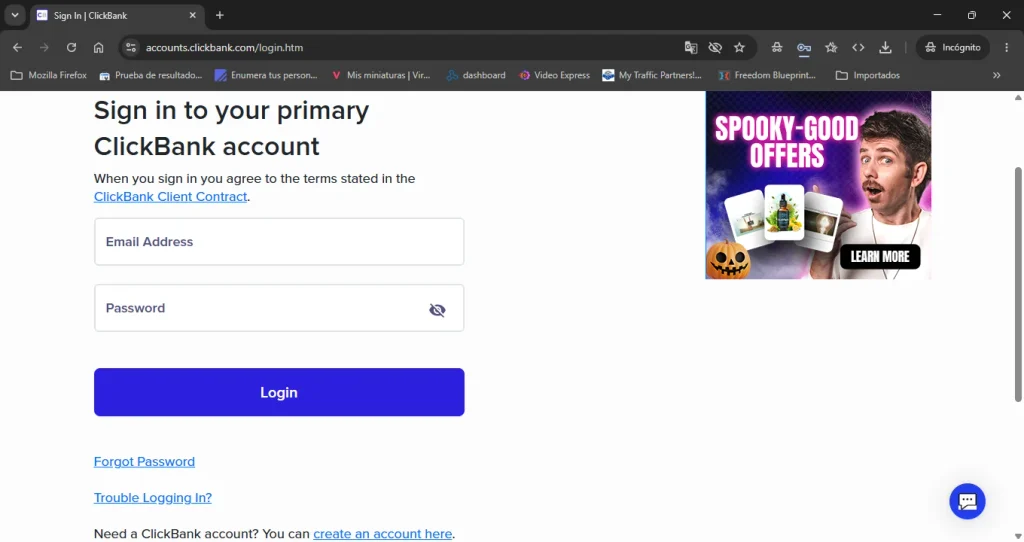
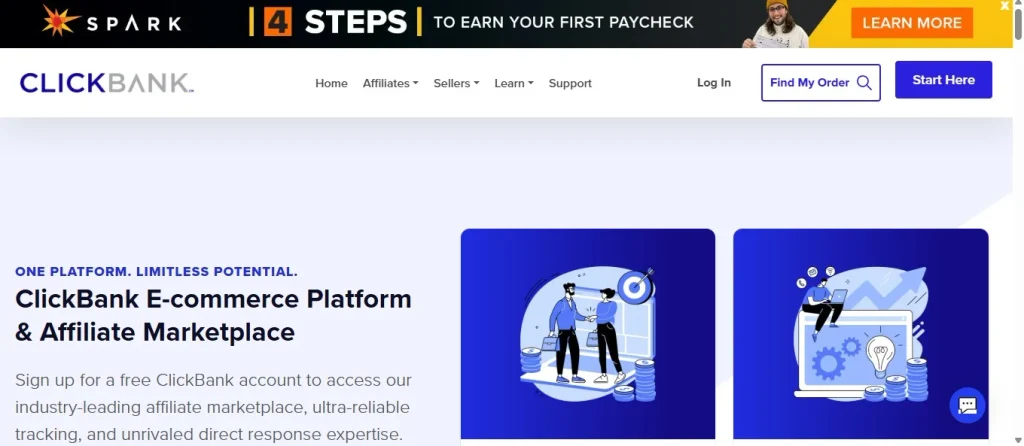
Head over to clickbank.com and click “Start Here” or “Sign Up.” You’ll land on a form asking for your country, first and last name, phone number, email address, and a password. The password requirements are specific: ClickBank requires a combination of uppercase and lowercase letters, numbers, and special characters. Don’t rush this part. Use a password manager if you need to.
Hit submit and check your email for a verification link. Once confirmed, your main account login is created.
Step 2: Complete Your Customer Profile
This is where many beginners get confused. ClickBank separates your main account login from your affiliate nickname — and understanding this architecture saves you a lot of frustration later. Your main account stores your personal data, tax information, and banking details. Think of it like the foundation of a house: it holds everything up, but you don’t live in the foundation itself.
In this profile, you’ll fill in your mailing address, payment method, beneficiary name, and your tax ID. If you’re a U.S. resident, that’s your SSN or EIN. If you’re an international affiliate — which most readers of this guide probably are — you’ll need to complete a W-8BEN form. This form establishes your foreign status and affects how much tax is withheld from your earnings. None of the top guides in Spanish explain this clearly, so pay attention: fill it out carefully and make sure your address matches exactly what’s on your ID.
Step 3: Create Your Affiliate Nickname (This Is Critical)
Once your main account is set, you create an affiliate “nickname” — also called an account nickname or username. This is not the same as your login. This nickname is what gets embedded in your HopLinks (your unique affiliate URLs). If you ever change it or lose it, your tracking breaks.
Choose something professional and memorable. Avoid random strings of numbers. And remember: you can create multiple nicknames under one main account, which is useful if you want to promote in different niches separately.
Imagine waking up one morning, checking your phone, and seeing a $47 commission notification — for something you promoted while you slept. Sounds great, right? Now imagine doing all the right steps to registrarse en Clickbank, generating traffic, making sales… and then discovering your first payout is blocked because of a requirement nobody mentioned. That’s the difference between someone who researched this properly and someone who didn’t.
This guide exists so you land on the right side of that story.
What Is ClickBank and Why Should You Care in 2026?
ClickBank is one of the oldest and most trusted affiliate marketing platforms in the world. Think of it as a giant digital shopping mall — except instead of walking around with a cart, you earn commissions every time someone buys through your unique link. According to sci-tech-today.com (2026), the platform has paid out more than $7.1 billion USD in affiliate commissions since its founding. That number isn’t theoretical. It’s real money that went to real people.
The marketplace itself is massive. Per the same source, as of February 2026, ClickBank’s marketplace contains 28,083 total listings across 281 categories, with 1,247 unique products available for promotion. Whether you’re into health, finance, spirituality, or software, there’s almost certainly something that fits your niche.
And here’s the part that makes this platform especially attractive for beginners: registering as a ClickBank affiliate is 100% free. According to smartblogger.com (2026), there’s no application process, no waiting list, no interview. You sign up, you promote, you earn.
Understanding the Sign up for Clickbank Affiliates
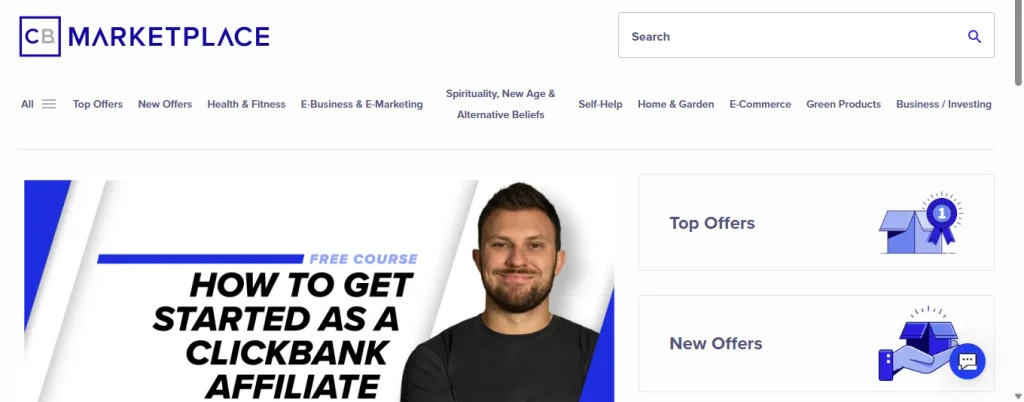
Now that your account exists, you have access to the clickbank afiliados marketplace — the engine room of your future earnings. With more than 21,000 active products across 275+ categories (according to affiliatebooster.com, 2026), finding something to promote is never the problem. Finding the right thing to promote is.
The Gravity Score and What It Actually Means
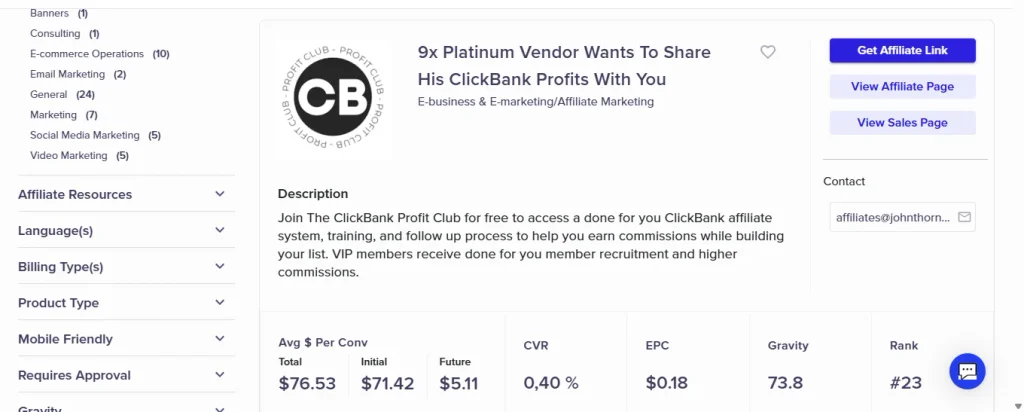
Gravity is ClickBank’s proprietary metric. It measures how many affiliates have made at least one sale with a product in the past 12 weeks. A high gravity score (think 50+) means the product converts and people are actively promoting it. It’s like checking restaurant reviews before you sit down — you want proof that others have eaten well there.
Commissions in the digital space are notably generous. According to clickbank.com’s own blog (2025), typical affiliate commissions on digital products range between 50% and 75%. The online education niche specifically saw average commissions jump to 47.7%, with year-over-year sales growth of 27.8% — numbers that confirm this isn’t a dying platform.
The Hidden Requirements Nobody Warns You About
Here’s where this guide separates itself from the generic tutorials out there. Three things consistently blindside new affiliates after registrarse en Clickbank, and we’ve made sure to cover all of them.
The CDR: Why Your First Payout Might Be Blocked
The Customer Distribution Requirement (CDR) is the most overlooked policy in ClickBank’s entire system. Before you receive your first payment, ClickBank requires you to generate a minimum of 5 unique sales using at least 2 different payment methods (Visa, Mastercard, PayPal, Amex, etc.). This policy was updated in April 2025 and remains active in 2026 (source: support.clickbank.com).
Think of it as ClickBank’s way of making sure you’re generating real, legitimate sales — not gaming the system. The practical impact? If you make 4 sales and stop, your money sits there. You need that fifth sale, from a different card type, to unlock the first payment cycle. Plan your first promotional push with this in mind.
Dormant Account Penalties: The Silent Wallet Drain
This one surprises almost everyone. If your ClickBank account has a positive balance but generates no sales for 90 consecutive days, you get charged $1 per payment period. After 180 days, that jumps to $5 per period. After 365 days, it becomes $50 per period (source: support.clickbank.com, 2026).
It’s like a parking meter that starts ticking the moment you stop moving. If you register, make a few commissions, and then abandon the account — your earnings slowly disappear. The lesson? Either stay active or withdraw your funds before going quiet.
PayPal Is Not a Payout Option
This shocks a lot of Latin American affiliates specifically. According to dmpro.app (verified 2025–2026), PayPal is not available as a payment method for affiliates receiving commissions. It’s only available as a checkout option for end customers buying products. Your actual payout options are: paper check (default), direct deposit/ACH (U.S. only), Payoneer (international), or wire transfer (with a $35 fee, source: afftank.com, 2026).
For international affiliates, Payoneer is the most practical option. Set it up before you make your first sale so you’re not scrambling when payday arrives.
Payment Thresholds and Processing Fees: Know Before You Earn
ClickBank’s default payment threshold is $100. That means they won’t send your money until your balance hits $100. You can lower this to as little as $10 (or raise it to $1,000,000 if you prefer), but every payment processed carries a $5 processing fee (source: support.clickbank.com, 2026).
Now, let’s talk strategy. If you lower your threshold to $10 and receive payments frequently, those $5 fees eat into your earnings fast — like paying a toll every few miles instead of every 100. For beginners, keeping the threshold at $100 or slightly above usually makes the most financial sense.
What Happens If Your Country Is Restricted?
This is one of the most searched questions from Hispanic and international audiences, and almost no guide addresses it directly. ClickBank operates globally and reports having more than 200 million customers across 190 countries (source: bloggerspassion.com, 2026) — but that doesn’t mean every country can register as an affiliate.
ClickBank blocks registrations from approximately 30-40 countries due to fraud risk, OFAC sanctions, or limited banking infrastructure. The list isn’t published officially, but if your registration is rejected or your account is flagged during setup, it’s likely a geo-restriction issue. Using a VPN during registration can also trigger automatic reviews — ClickBank may hold or delay account activation if your IP location doesn’t match your stated address. Always register without a VPN active.
The Before and After: What Changes Once You Do This Right
Before following this guide: you sign up, create a random nickname, skip the W-8BEN, don’t check the CDR policy, and assume PayPal will be your payout method. Three months later, your account has $60 in commissions, it’s been 95 days since your last sale, and you just got charged $1. Your payout is still locked because you only made 3 sales. You’re frustrated.
After applying what you’ve learned here: you complete your profile correctly, set up Payoneer, understand the CDR from day one, choose a product with a gravity score above 30 and commissions above 50%, and build toward those 5 first sales strategically. Your first payment arrives clean, with no surprises.
The information was the same. The outcome is completely different.
FAQs About Registering in ClickBank Affiliates
Is it free to sign up as a ClickBank affiliate?
Yes, completely free. According to smartblogger.com (2026), there’s no application fee and no approval process for affiliates. The $49.95 activation fee only applies to product vendors, not affiliates.
Can I sign up for ClickBank if I’m outside the United States?
In most cases, yes. ClickBank accepts affiliates from many countries internationally. However, certain countries are restricted due to fraud risk or sanctions. Always register without a VPN and fill in your real address to avoid account flags.
What is the W-8BEN form and do I need it?
If you’re a non-U.S. resident, yes. The W-8BEN is a tax form that certifies your foreign status and determines your withholding rate. You’ll complete it during profile setup. Fill it out accurately — errors can cause payment delays or account reviews.
How long does it take to receive the first ClickBank payment?
Beyond completing the CDR (5 sales with 2+ payment methods), ClickBank pays on a weekly or bi-weekly schedule depending on your account settings. The default threshold is $100, and each payment carries a $5 processing fee. Expect your first payment within 1–2 pay cycles after meeting the CDR.
What’s the difference between my ClickBank login and my affiliate nickname?
Your main login holds your personal data, tax info, and banking details. Your affiliate nickname is a separate identifier that gets embedded in your HopLinks. You can have multiple nicknames under one main account — useful for organizing campaigns across different niches.
Can I use PayPal to receive my ClickBank commissions?
No. As of 2026, PayPal is not an available payout method for ClickBank affiliates (source: dmpro.app). Your international options are Payoneer or wire transfer. For U.S. residents, direct deposit (ACH) is also available.
What happens if I create an account and stop using it?
Your balance starts shrinking. After 90 days of inactivity with a positive balance, ClickBank charges $1 per payment period. That penalty increases to $5 after 180 days and $50 after 365 days (source: support.clickbank.com, 2026). Stay active or withdraw your balance before going quiet.
Ready to Start? Here’s Your Next Move
You now know more about registrarse en Clickbank than 90% of the people who signed up before you. You know the CDR, the dormant account fees, the PayPal myth, the W-8BEN requirement, and how to actually read a marketplace listing. That knowledge is your competitive edge.
So here’s what to do right now: open a new tab, go to clickbank.com, and create your account. Set up Payoneer while you’re at it. Browse the marketplace and find one product — just one — with a gravity score above 30 and commissions above 50%. Then commit to learning how to send traffic to that product for the next 30 days.
The $7.1 billion that ClickBank has already paid out in commissions didn’t go to people who were “almost ready.” It went to people who started. Go be one of them.